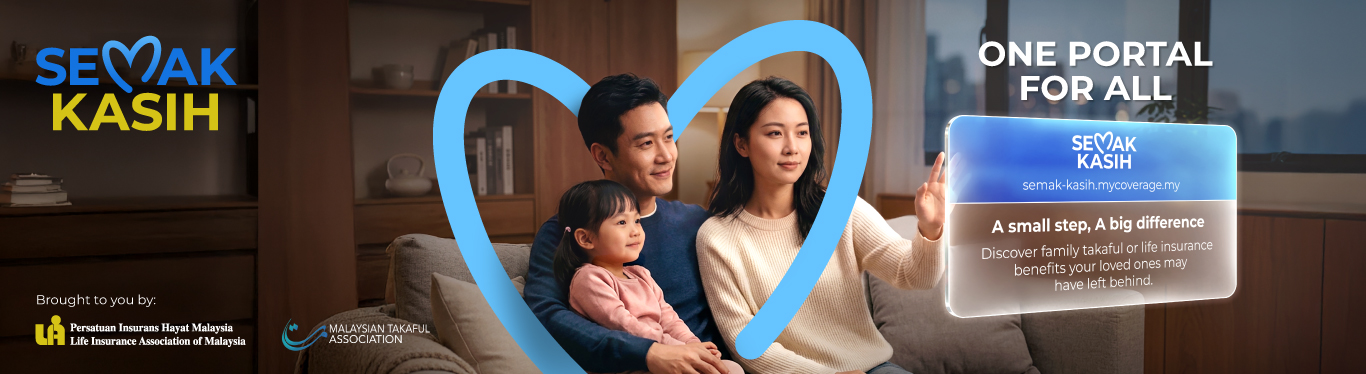
Semak Kasih
General FAQ
Step 1: Register on the Portal
Visit semak-kasih.mycoverage.my. Create an account using your name, ID number (MyKad / others), email address, and mobile number.
Step 2: Log in to your account
Once registered, log in to access the enquiry service.
Step 3: Submit an enquiry
Provide the required details:
- Deceased’s ID number (MyKad / others)
- Death Certification number
- Upload a copy of the death certificate
What Happens Next?
If a matching record is found, you will be provided with the name of the takaful operator or life insurer along with their contact details.
Please contact the respective takaful operator or life insurer shown on the screen for the next steps and further assistance.
Please note that a match does not necessarily mean that a family takaful or life insurance claim is payable at this stage.
If there is no record found, what information will be displayed on the screen?
A message stating “No takaful certificates/insurance policies are found in our records” will be displayed on the screen.
1. What is Semak Kasih Portal?
Semak Kasih is a simple, accessible and secure platform that helps you check whether your deceased loved ones have left behind any unclaimed family takaful or life insurance benefits with participating takaful operators and life insurers.
2. Who can use the Semak Kasih Portal?
Malaysians aged 18 and above, who have registered on the SEMAK KASIH portal.
3. What types of records are available for checking?
Currently, the portal provides access to family takaful and life insurance records only.
4. What type of products are eligible for checking?
Eligible products for checking include takaful certificates and insurance policies purchased by your deceased loved ones. The portal will provide information of the insurer or takaful operator to be contacted.
5. What information do I need to submit to perform a search?
To perform a search, you will need to submit the deceased’s details, including the deceased’s ID number (MyKad / others), death certificate number, and a clear copy of the death certificate.
(Note: Only death certificate issued by Jabatan Pendaftaran Negara is accepted)
6. Is there a specific file format and allowable maximum file size for the Death Certificate that I should use when uploading?
Only PDF, JPEG, JPG and PNG files are acceptable for death certificates with a maximum file size of 5 MB.
7. Do I need to register before making an enquiry?
Yes. Registration is required before you can perform any search.
8. What information is required for registration?
You will need to provide:
- Your full name
- Your ID number (MyKad / others)
- A valid email address
- A valid mobile phone number
9. Is there a fee to use Semak Kasih Portal?
No. The service is provided free of charge.
10. Can I view the certificate/policy details, coverage amount, or nominee information?
No. The portal only verifies whether a certificate or policy exists and identifies the respective takaful operator or life insurer. If a record is found, you will be provided with the contact details of the relevant takaful operator or life insurer for further enquiries.
11. How many searches can I perform per day?
You are allowed to perform 3 searches per day. Your search limit will reset in 24 hours.
12. If I have a problem while doing my checking, who should I contact?
For enquiries, please contact 03-7456 3960 or email semakkasih@mycoverage.my
Download User Guide

Details
- Posted on: August 30, 2026
- Company: Life Insurance
- Type of News: Announcements
Have queries? Speak to our friendly agents
If you require assistance from us regarding any matter, please contact us by clicking on ‘Contact Us’




Disclaimer
By clicking on “Continue to external site” below, you will leave Tokio Marine Insurance Group’s website and you will be redirected to a third party website.

Choose your country or region
Visit HQ Pages
Visit Country Pages
Select your location and language


You are currently on a site outside of your country Switch to external site?
Visit your local page. If you change your mind, you can use the dropdown at the top navigation to visit other Tokio Marine country pages.


Tokio Marine Life Insurance Malaysia Bhd. 199801001430 (457556-X)


You are currently on a site outside of your country. Switch to local site?
Visit your local page. If you change your mind, you can use the dropdown at the top navigation to visit other Tokio Marine country pages.
